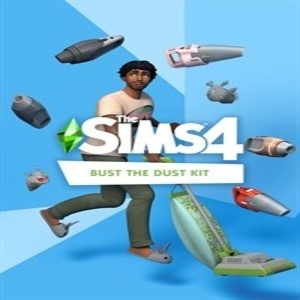
How to activate The Sims 4 Bust the Dust Kit on Steam
Looking for a cheaper way to get The Sims 4 Bust the Dust Kit for PC than buying directly from official stores?
At Keysforgames, we recommend opting for the digital version of the game. These versions come as CD Keys or digital codes, offering a quick and convenient method to download games from official platforms like Steam, Epic Store, Uplay, and Origin.
What is a CD Key for The Sims 4 Bust the Dust Kit?
A The Sims 4 Bust the Dust Kit CD Key, or The Sims 4 Bust the Dust Kit STEAM Key, is a digital code that allows you to download The Sims 4 Bust the Dust Kit directly to your PC via the Steam platform. Once redeemed in your Steam library, you can download The Sims 4 Bust the Dust Kit instantly.
How to find the best price for the The Sims 4 Bust the Dust Kit STEAM Key?
That’s where we come in!
Keysforgames compares prices from trusted online stores that sell digital versions of the game. Whether it’s a STEAM Key, Steam Gift, or another format, you can view prices sorted from lowest to highest, making it easy to find the best deals.
You can also use our filters to narrow your search by version or activation region to find the edition that suits your needs best.
What is The Sims 4 Bust the Dust Kit Steam Account?
By purchasing a Steam account, you will receive a Steam account with an already activated The Sims 4 Bust the Dust Kit CD digital key code. Download the game to this account and you will be able to play The Sims 4 Bust the Dust Kit on your own account. Follow the seller's instructions and read their details carefully for any restrictions.
Are the shops selling The Sims 4 Bust the Dust Kit trustworthy?
Absolutely. At Keysforgames, we’ve spent years verifying that only the most reliable stores are included in our price comparison. Each store is thoroughly reviewed to ensure a smooth and secure experience, from the purchase of The Sims 4 Bust the Dust Kit to the delivery of The Sims 4 Bust the Dust Kit.
Can The Sims 4 Bust the Dust Kit Steam Key expire?
The The Sims 4 Bust the Dust Kit key for the Steam client does not expire and after activating The Sims 4 Bust the Dust Kit, the game can be downloaded and used for life. This also applies to all other clients.
What digital versions of The Sims 4 Bust the Dust Kit are available?
The game may be available in three digital formats:
- Steam Key: A The Sims 4 Bust the Dust Kit code you redeem on Steam to activate the game in your library.
- Steam Gift: An activation link that adds the game The Sims 4 Bust the Dust Kit directly to your Steam account. Be sure to check for any regional restrictions if you choose the Steam Gift format.
- Steam Account: You will retrieve a new The Sims 4 Bust the Dust Kit steam account with the game on it.
Each store will display the version being sold. If no specific label is mentioned, it’s likely the standard edition in CD Key format.
What happens after purchasing the The Sims 4 Bust the Dust Kit key?
Activating your game is simple:
- For Steam Keys, log in to your Steam account, go to your game library, click "Add a product," and enter the code. The download will start immediately.
- For Steam Gifts, click the activation link sent to your email, log in to your Steam account, and the game will be added directly to your library.
- For Steam Accounts: Simply login with the login details provided and download and play your game!
With Keysforgames, finding and activating your favorite games has never been easier. Start exploring deals today!
What is a The Sims 4 Bust the Dust Kit EA App Key?
A The Sims 4 Bust the Dust Kit EA App Key is a digital code used to activate and download The Sims 4 Bust the Dust Kit on the EA App, which is EA's game distribution platform. This key allows users to access and play The Sims 4 Bust the Dust Kit without needing a physical copy of the game. Here’s a detailed explanation of what an EA App Key is and how it works:
What is an EA App Key?
- Digital License: An EA App Key is essentially a digital license that permits the user to download and play The Sims 4 Bust the Dust Kit through the EA App. This key is typically a string of alphanumeric characters.
- Usage: The key is used to authenticate your purchase and grant you access to the game on your EA App account.
Where to Purchase EA App Keys
- Official EA Store: You can purchase The Sims 4 Bust the Dust Kit directly from the EA Store.
- Authorized Retailers: Many authorized retailers sell EA App Keys, including websites like Amazon, GameStop, and Best Buy.
- Third-Party Sellers: Websites like Green Man Gaming, Kinguin, Difmark, Humble Bundle, and others also offer EA App Keys, often at discounted prices.
On our website you find all this suppliers in price comparison!
Advantages of EA App Keys
- Convenience: Instant delivery and no need for physical media.
- Security: Purchasing from authorized retailers ensures the key’s validity.
- Availability: Keys can be bought and used from anywhere, provided there are no regional restrictions.
Potential Issues
- Regional Restrictions: Some keys may be region-locked, meaning they can only be activated in specific regions.
- Gray Market Risks: Buying keys from unauthorized or gray market sites can carry risks, including invalid or revoked keys.
Conclusion
An EA App Key forThe Sims 4 Bust the Dust Kit is a convenient way to access the game digitally. It’s important to purchase these keys from reputable sources to avoid potential issues with activation and game access.
For more detailed information on how to redeem EA App Keys and where to purchase them, you can visit the official EA support page or compare the suppliers on our website.
A The Sims 4 Bust the Dust Kit key for the EA-Client does not expire and after activation The Sims 4 Bust the Dust Kit can be downloaded and played forever.
How to Use an EA App Key
- Install the EA App: If you don’t have the EA App installed on your computer, download and install it from the EA website.
- Log In: Open the EA App and log in with your EA account. If you don’t have an account, you will need to create one.
- Redeem the Key:
- Click on your profile icon or the menu button in the top-right corner.
- Select "Redeem Code" from the dropdown menu.
- Enter the The Sims 4 Bust the Dust Kit EA App Key you received.
- Follow the prompts to complete the redemption process.
- Download and Install: Once the key is redeemed, The Sims 4 Bust the Dust Kit will be added to your library. You can then download and install the game from there.



 PC
PC
 Xbox One